> ## Documentation Index
> Fetch the complete documentation index at: https://docs.getvirtualbrain.com/llms.txt
> Use this file to discover all available pages before exploring further.
# Integrations Whitelist / Blacklist
> Control which external sources and sites users can connect, keeping integrations within your firm's data-governance policy
Control which external sources and sites users can connect to VirtualBrain. Client confidentiality depends on data flowing only through approved channels. This is where you enforce that, keeping [connectors](/features/brains/connectors) within your firm's data-governance policy.
## Two modes
| Mode | Behavior |
| ------------- | ---------------------------------------------------- |
| **Whitelist** | Only the sources you list are available to the team. |
| **Blacklist** | Everything is allowed except what you exclude. |
Choose the mode that matches your governance posture: **Whitelist** when only vetted sources should ever be connectable, **Blacklist** when the team can use most sources and you only need to rule out specific ones.
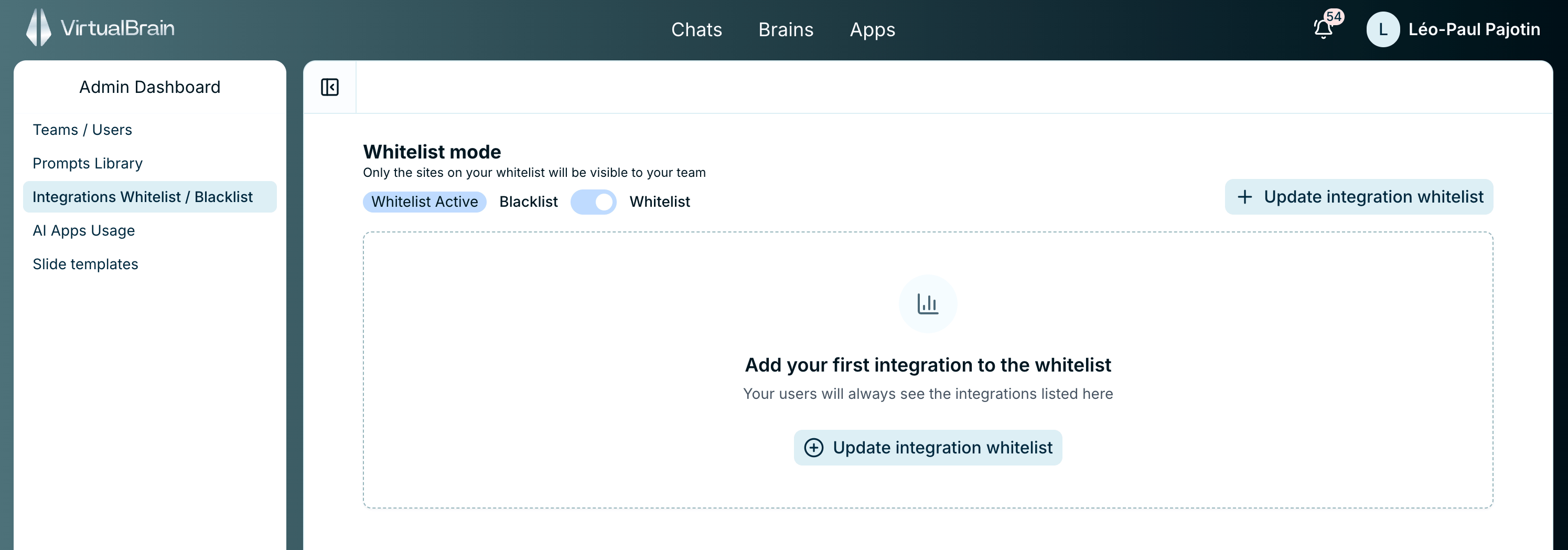 This policy governs the [connectors](/features/brains/connectors) users see when connecting sources to their Brains. Anything outside the policy simply isn't available to them.
## Related
How users sync external sources into a Brain, and the platforms VirtualBrain connects to.
The other firm-wide controls available to administrators.
This policy governs the [connectors](/features/brains/connectors) users see when connecting sources to their Brains. Anything outside the policy simply isn't available to them.
## Related
How users sync external sources into a Brain, and the platforms VirtualBrain connects to.
The other firm-wide controls available to administrators.