> ## Documentation Index
> Fetch the complete documentation index at: https://docs.getvirtualbrain.com/llms.txt
> Use this file to discover all available pages before exploring further.
# Slide Templates
> Upload company-wide PowerPoint templates so anyone generating slides can build on the firm's house style
Upload company-wide PowerPoint templates so anyone generating slides (the **Generate a slide** action and **Export to PPT**) can build on the firm's house style. One upload here puts an on-brand deck within reach of the whole workspace, with no reformatting pass before it reaches a client.
## Publish a template
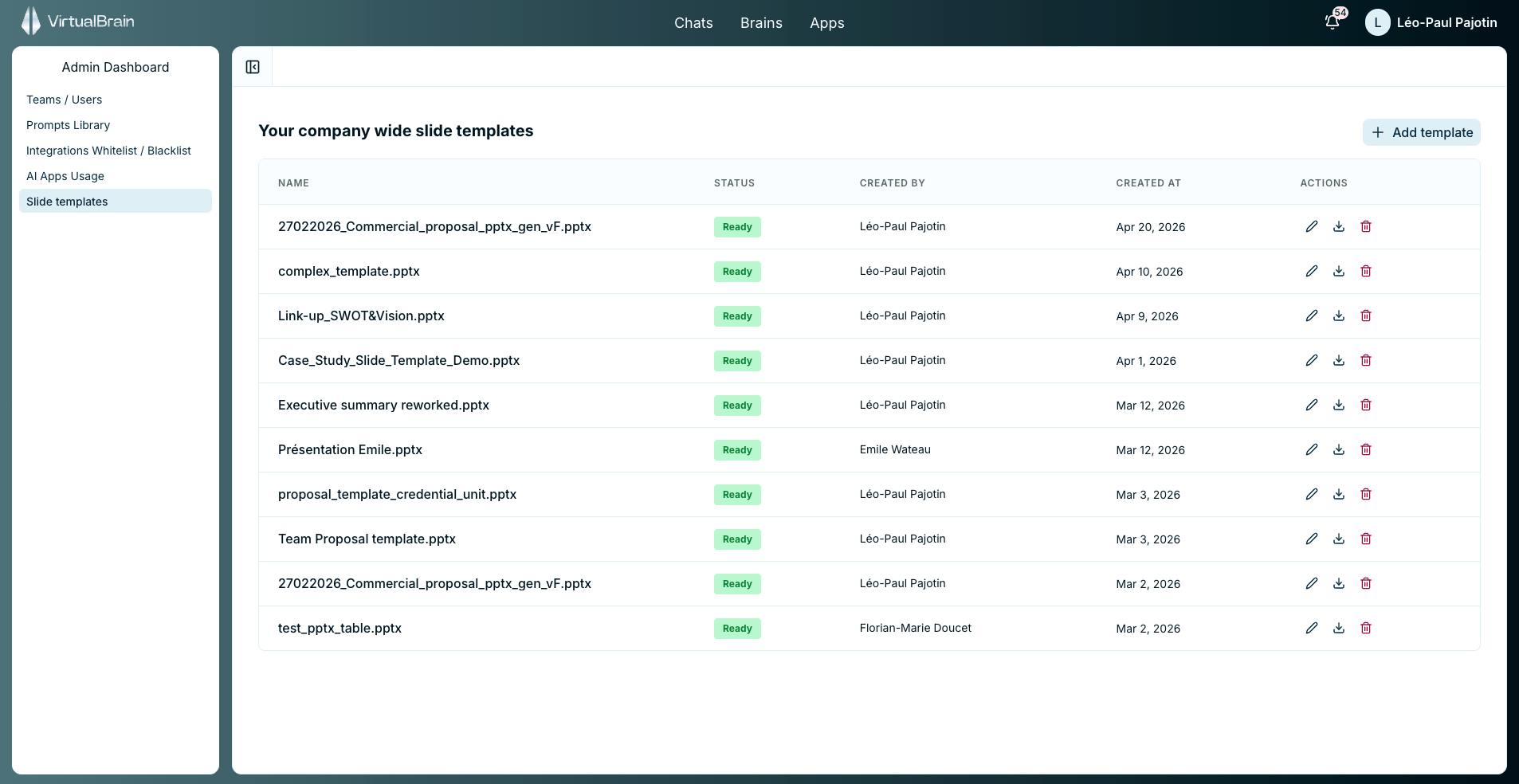
Upload the firm's PowerPoint template in the Slide templates area.
Once the template's status shows **Ready**, it's available to everyone in the workspace.
Edit, download, or remove templates from the same list as the firm's branding evolves.
 ## Firm-wide vs. personal templates
Templates published here set the house style for the whole firm. They sit alongside the [personal slide templates](/features/personalization/document-templates) individual users upload from Settings: when someone generates slides both lists are offered, and neither overrides the other.
## Related
The personal counterpart users manage from Settings.
Where Generate a slide and Export to PPT fit in the Chat workflow.
## Firm-wide vs. personal templates
Templates published here set the house style for the whole firm. They sit alongside the [personal slide templates](/features/personalization/document-templates) individual users upload from Settings: when someone generates slides both lists are offered, and neither overrides the other.
## Related
The personal counterpart users manage from Settings.
Where Generate a slide and Export to PPT fit in the Chat workflow.