> ## Documentation Index
> Fetch the complete documentation index at: https://docs.getvirtualbrain.com/llms.txt
> Use this file to discover all available pages before exploring further.
# Teams & Users
> Manage who's in the workspace and how they're grouped: create teams, invite users, and see totals at a glance
Manage who's in the workspace and how they're grouped. Teams are what [Brains](/features/brains/sharing-brains) and [Apps](/features/apps/sharing-apps) are shared with, so getting the team structure right here keeps sharing clean as the workspace grows.
## Set up teams and users
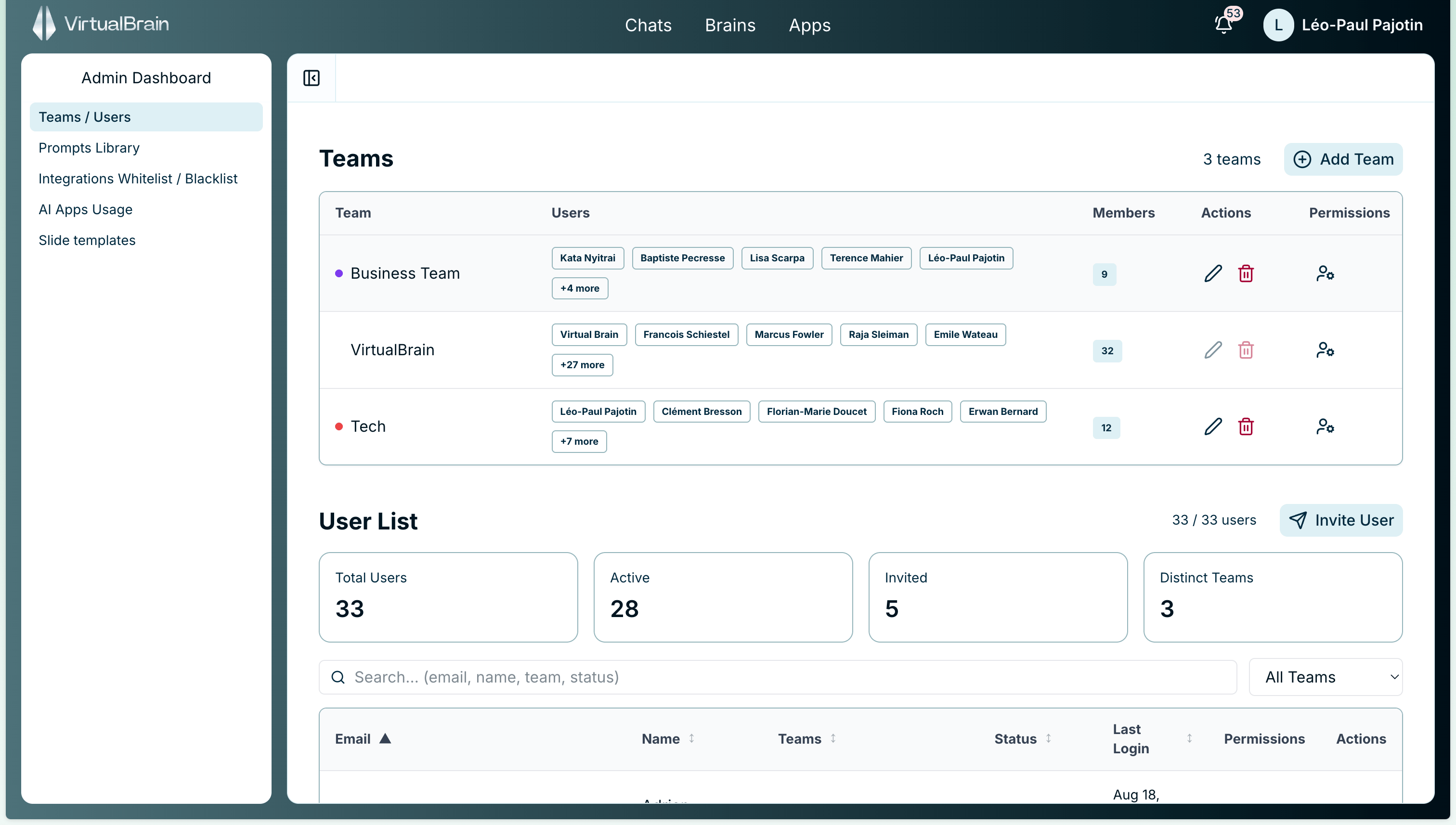
**Add Team** creates a team; assign members and permissions. Group people the way work is actually shared: a team should mirror who needs access to the same Brains and Apps.
**Invite User** brings colleagues on board.
The user list shows totals at a glance (active users, invited users, and distinct teams) and lets you search and filter by team or status.
 Sharing a Brain or App with a team is read-only: team members can use the shared work, not modify it.
The at-a-glance totals double as an adoption check during rollout: invited-but-not-yet-active users are the colleagues to follow up with.
## Related
How Brains reach the teams you define here.
How Apps reach the rest of the firm through teams.
Sharing a Brain or App with a team is read-only: team members can use the shared work, not modify it.
The at-a-glance totals double as an adoption check during rollout: invited-but-not-yet-active users are the colleagues to follow up with.
## Related
How Brains reach the teams you define here.
How Apps reach the rest of the firm through teams.