> ## Documentation Index
> Fetch the complete documentation index at: https://docs.getvirtualbrain.com/llms.txt
> Use this file to discover all available pages before exploring further.
# Sharing Apps
> Share an App with colleagues and teams so one person's expertise becomes a capability the whole team runs
Share an App with colleagues and teams exactly as you [share a Brain](/features/brains/sharing-brains), turning one person's expertise into a capability the whole team runs. Capture the methodology once; every colleague produces the same deliverable, the same way, on every run.
## How sharing works
An App has one owner and is shared with colleagues or teams at one of two levels. The difference is simple: **read-only** users can run the App but not change it; **full access** users can also edit it. Sharing with a whole team always grants read-only, so the method stays exactly as its author built it, with every run following the same sources, instructions, and review steps.
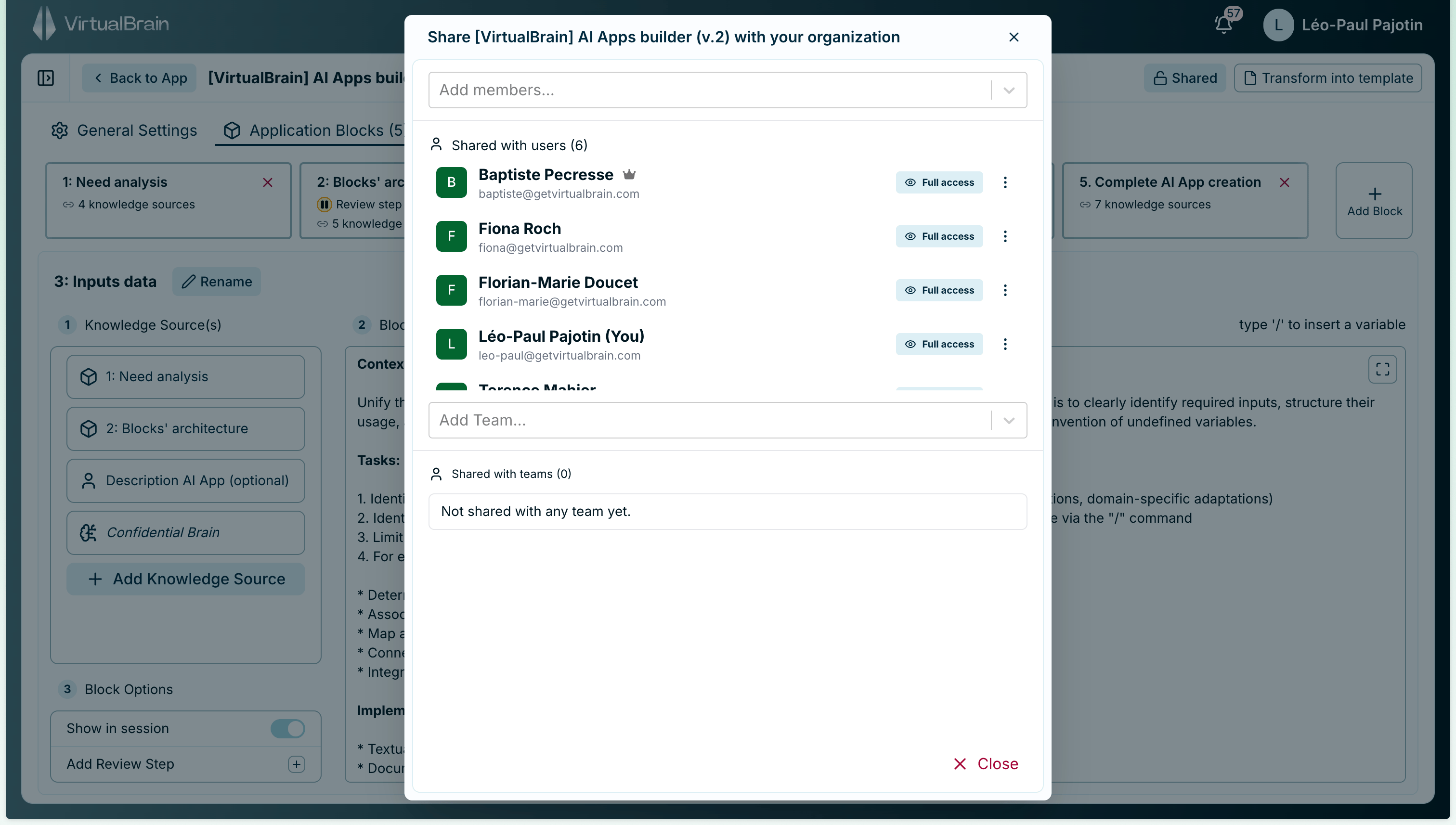 ## Access levels
| Action | Owner | Full access | Read-only |
| ----------------------------------- | :---: | :---------: | :-------: |
| Run the App | Yes | Yes | Yes |
| Edit blocks, prompts, and inputs | Yes | Yes | No |
| Rename the App | Yes | Yes | No |
| Share with, or remove, other people | Yes | Yes | No |
| Delete the App | Yes | Yes | No |
| Transfer ownership | Yes | No | No |
Read-only is what makes an App safe to distribute widely: the whole team can run a proven workflow without anyone altering the method. Reserve **full access** for the colleagues who co-maintain the App.
### Ownership and transfer
**Full access** and the **owner** can both edit, share, and delete the App; only the owner can **transfer ownership**. When someone changes role or hands a workflow over, the owner can transfer the App to another member of the same organization. The new owner receives full access and becomes the owner; the previous owner keeps full access unless you remove them, so a live App never breaks mid-handover.
**Before deleting a user, rescue the Apps they own.** When a user is removed from the workspace, their owned Apps are handled by what they're shared with: an App shared with at least one other person or a team is automatically transferred to a workspace administrator, so the team keeps running it. A **private App that no one else can access is permanently deleted**. If a departing colleague owns Apps the team relies on, share them or transfer ownership first.
## Related
The same sharing model, applied to your knowledge repositories.
Capture a workflow worth sharing in the no-code builder.
## Access levels
| Action | Owner | Full access | Read-only |
| ----------------------------------- | :---: | :---------: | :-------: |
| Run the App | Yes | Yes | Yes |
| Edit blocks, prompts, and inputs | Yes | Yes | No |
| Rename the App | Yes | Yes | No |
| Share with, or remove, other people | Yes | Yes | No |
| Delete the App | Yes | Yes | No |
| Transfer ownership | Yes | No | No |
Read-only is what makes an App safe to distribute widely: the whole team can run a proven workflow without anyone altering the method. Reserve **full access** for the colleagues who co-maintain the App.
### Ownership and transfer
**Full access** and the **owner** can both edit, share, and delete the App; only the owner can **transfer ownership**. When someone changes role or hands a workflow over, the owner can transfer the App to another member of the same organization. The new owner receives full access and becomes the owner; the previous owner keeps full access unless you remove them, so a live App never breaks mid-handover.
**Before deleting a user, rescue the Apps they own.** When a user is removed from the workspace, their owned Apps are handled by what they're shared with: an App shared with at least one other person or a team is automatically transferred to a workspace administrator, so the team keeps running it. A **private App that no one else can access is permanently deleted**. If a departing colleague owns Apps the team relies on, share them or transfer ownership first.
## Related
The same sharing model, applied to your knowledge repositories.
Capture a workflow worth sharing in the no-code builder.