> ## Documentation Index
> Fetch the complete documentation index at: https://docs.getvirtualbrain.com/llms.txt
> Use this file to discover all available pages before exploring further.
# Using Templates
> Browse the App library and run a pre-built App end to end
Open a pre-built App, answer a few input steps, and it produces a finished, sourced deliverable.
## Browse the App library
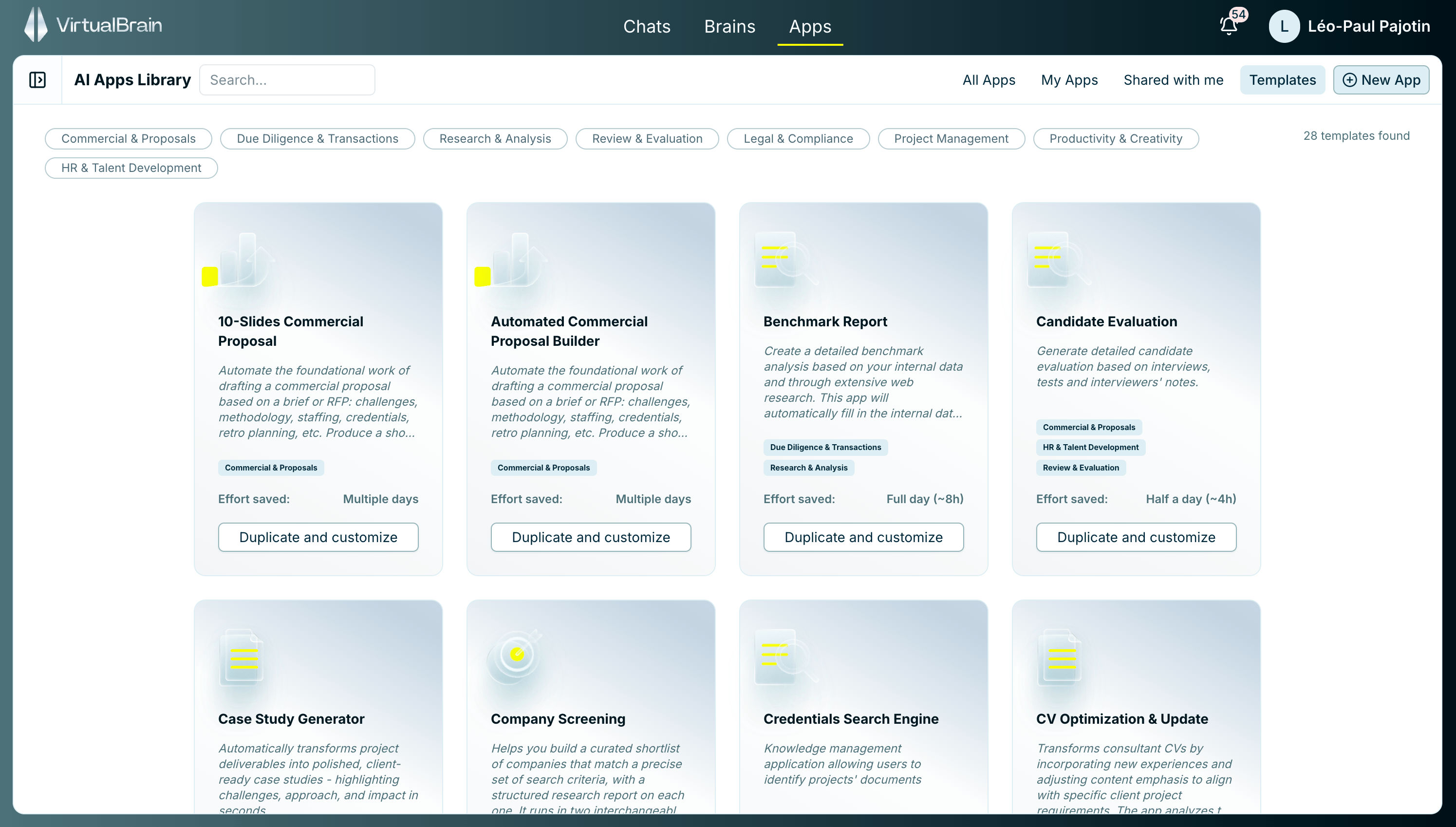
Open **Apps** to reach the library. Filter by **All Apps**, **My Apps**, **Shared with me**, or **Templates**, or search by name. Each card shows what the App does, whether it's shared with you or company-wide, plus the average time it saves and how long it takes to run.
 ## Run a pre-built App
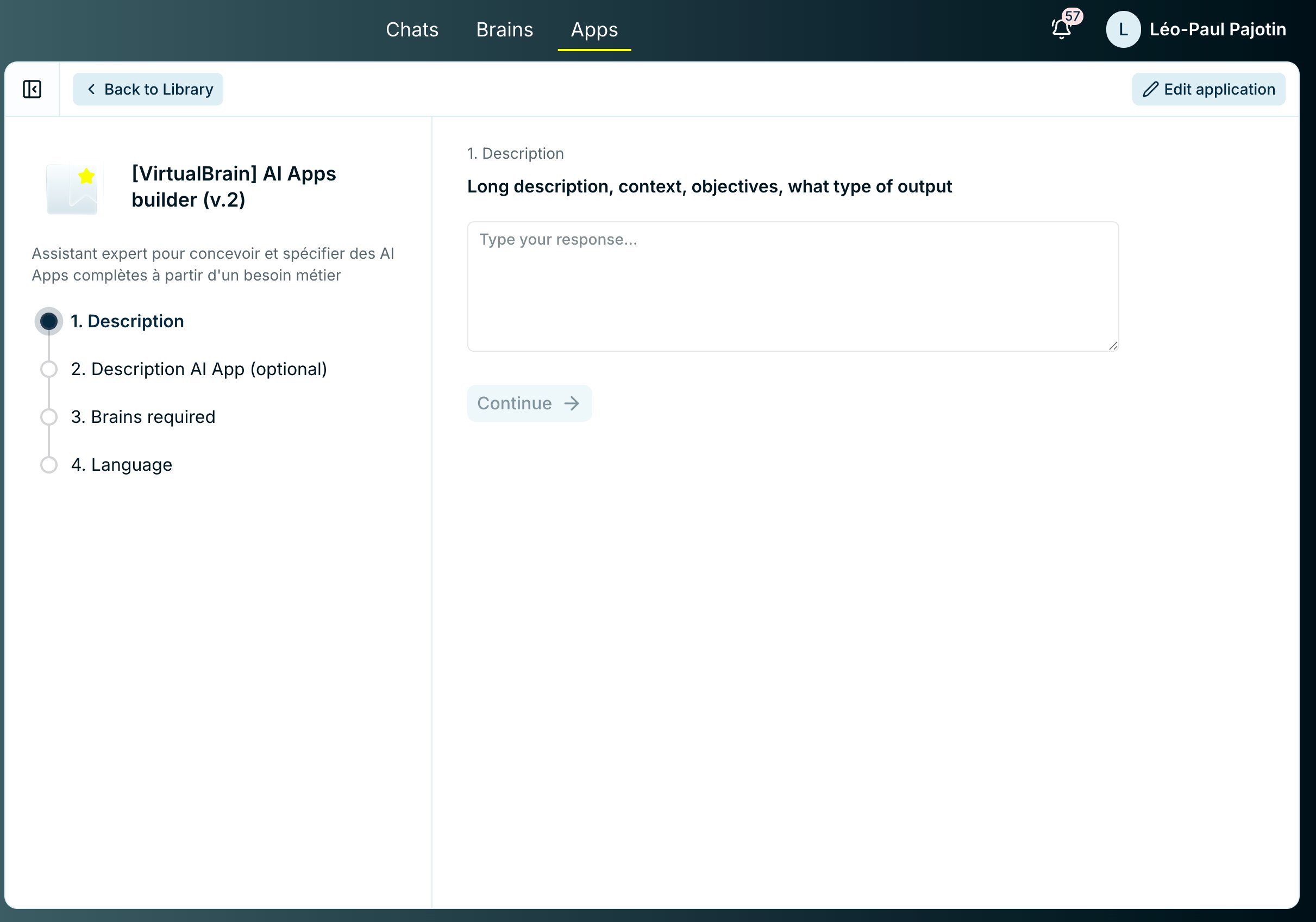
The App opens a guided session with a numbered stepper. Depending on how it was built, a step might ask you to type a short brief, choose from a list of options (an output language, say), pick the Brain(s) to work from, or upload a document. Fill each step and click **Continue**.
The App executes its workflow block by block. Watch progress and see the output of each stage as it completes. [App Blocks](/features/apps/app-blocks) explains the statuses and run order.
The finished deliverable carries the same sourcing and [one-click citations](/features/chats/sourced-answers) you get in Chat, so every claim stays traceable to its source.
## Run a pre-built App
The App opens a guided session with a numbered stepper. Depending on how it was built, a step might ask you to type a short brief, choose from a list of options (an output language, say), pick the Brain(s) to work from, or upload a document. Fill each step and click **Continue**.
The App executes its workflow block by block. Watch progress and see the output of each stage as it completes. [App Blocks](/features/apps/app-blocks) explains the statuses and run order.
The finished deliverable carries the same sourcing and [one-click citations](/features/chats/sourced-answers) you get in Chat, so every claim stays traceable to its source.
 Blocks that pause for review, per-passage edits, and the final export are covered in [Reviewing & Exporting](/features/apps/reviewing-and-exporting).
## Related
Approve review steps, refine a block, and export the deliverable.
Statuses, dependency order, and what each block draws on.
Adapt a template, or build your own App from scratch.
Blocks that pause for review, per-passage edits, and the final export are covered in [Reviewing & Exporting](/features/apps/reviewing-and-exporting).
## Related
Approve review steps, refine a block, and export the deliverable.
Statuses, dependency order, and what each block draws on.
Adapt a template, or build your own App from scratch.