> ## Documentation Index
> Fetch the complete documentation index at: https://docs.getvirtualbrain.com/llms.txt
> Use this file to discover all available pages before exploring further.
# Sourced Answers
> Watch the Mainframe research, then verify every claim against its source, side by side
Chat doesn't just hand you an answer. It shows the research behind it, then ties every claim in the deliverable to a numbered citation you can open in one click. This is the heart of VirtualBrain, and what makes the output defensible in front of a client.
## Watch it research
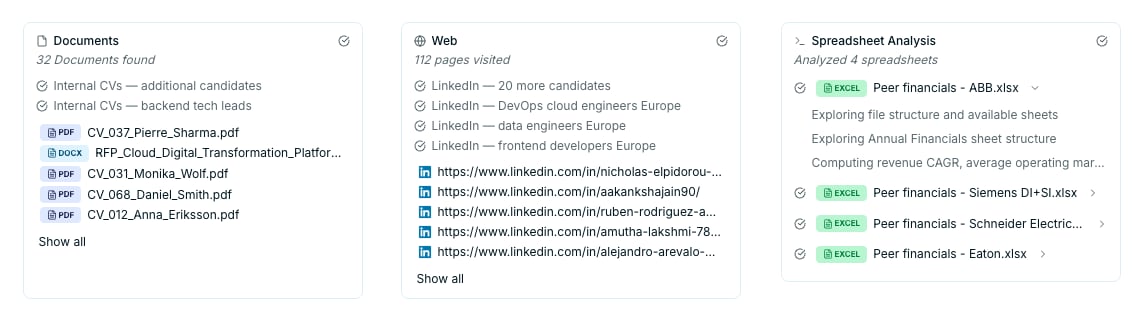
For anything beyond a simple lookup, the [Mainframe](/features/mainframe) works like an analyst: it runs several searches, reads what it finds, and shows its working as it goes. Each tool it uses reports back as its own card, so you can see exactly what was consulted before you read a word of the answer.
* **Document retrieval**: The retriever searches your sources, usually as several targeted searches rather than one. Its card lists the angles it tried and the documents it pulled in.
* **Web search**: It scans the live web and reports how many pages it visited, keeping the sources worth citing. **Web search**: When you switch **Web** on, it scans the web and reports how many pages it visited, keeping the sources worth citing. **Web search**: When you switch **Web** on, it scans the web and reports how many pages it visited, keeping the sources worth citing.
* **Spreadsheet analysis**: When your sources include tables, it writes and runs code to compute on them, working out figures such as revenue CAGR or average margins, and shows each file it opened and the calculations it ran.
 ## Read & verify
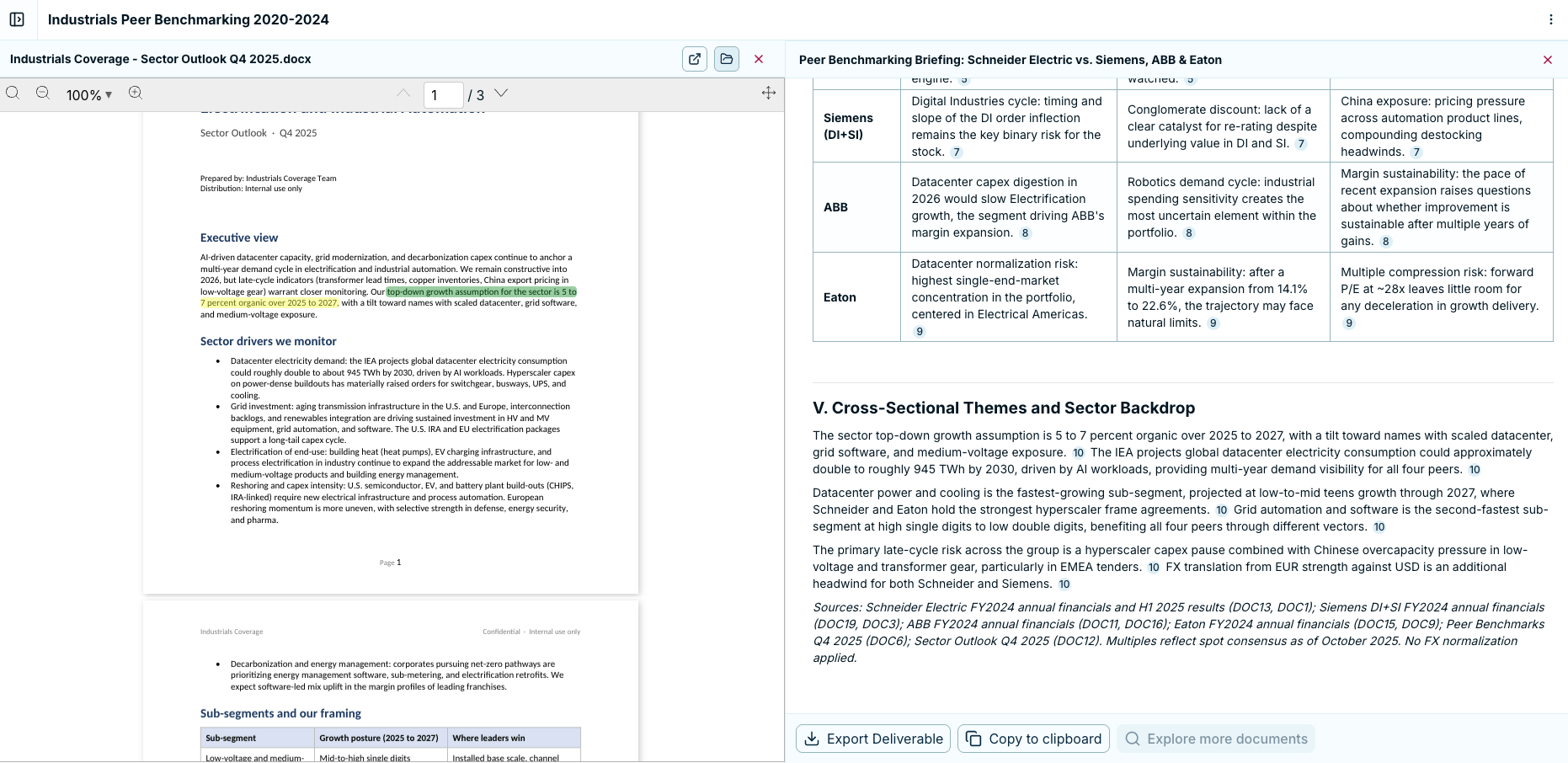
Substantial answers open as a structured deliverable in a side panel, with numbered citations throughout. Every claim that matters sits one click from its evidence.
See the exact passage a claim rests on, without leaving the answer.
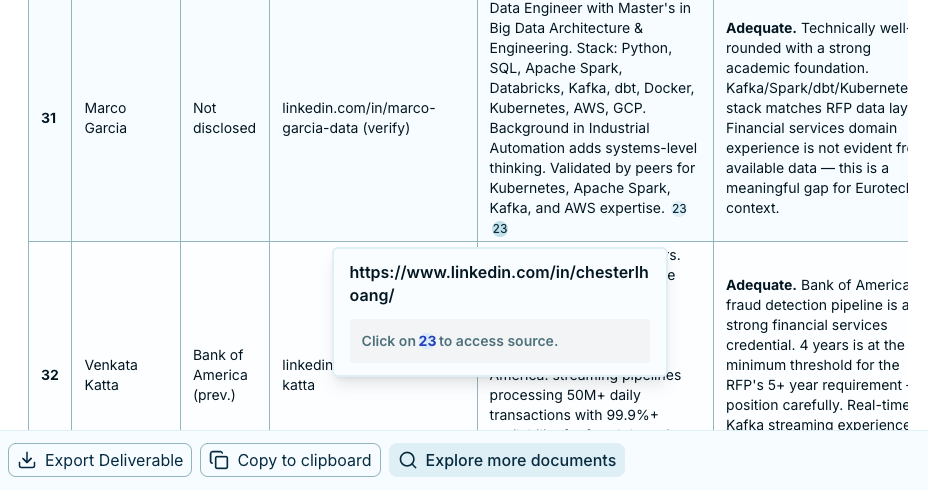
For a document, it opens to the cited passage with that text highlighted, beside the answer. For a web result, the same number opens the page at its original URL.
Review the answer and its source in one view, with no switching tabs to check a number.
## Read & verify
Substantial answers open as a structured deliverable in a side panel, with numbered citations throughout. Every claim that matters sits one click from its evidence.
See the exact passage a claim rests on, without leaving the answer.
For a document, it opens to the cited passage with that text highlighted, beside the answer. For a web result, the same number opens the page at its original URL.
Review the answer and its source in one view, with no switching tabs to check a number.
 ## Verify before you deliver
VirtualBrain accelerates production; you still own the conclusions. Make verification a reflex: open a few citations, confirm the figures against the source, and regenerate or edit anything you'd phrase differently. Because the source is one click away, this takes minutes, and it's what lets you put the output in front of a client with confidence.
Because the source is one click away, you can afford to be thorough on the claims that matter most.
## Next step
Once the numbers check out, shape the answer into the output your engagement needs. See [Refining & Exporting](/features/chats/refining-and-exporting).
## Verify before you deliver
VirtualBrain accelerates production; you still own the conclusions. Make verification a reflex: open a few citations, confirm the figures against the source, and regenerate or edit anything you'd phrase differently. Because the source is one click away, this takes minutes, and it's what lets you put the output in front of a client with confidence.
Because the source is one click away, you can afford to be thorough on the claims that matter most.
## Next step
Once the numbers check out, shape the answer into the output your engagement needs. See [Refining & Exporting](/features/chats/refining-and-exporting).