

Publish a template
1
Add a template
Upload the firm’s PowerPoint template in the Slide templates area.
2
Wait for Ready
Once the template’s status shows Ready, it’s available to everyone in the workspace.
3
Maintain the list
Edit, download, or remove templates from the same list as the firm’s branding evolves.
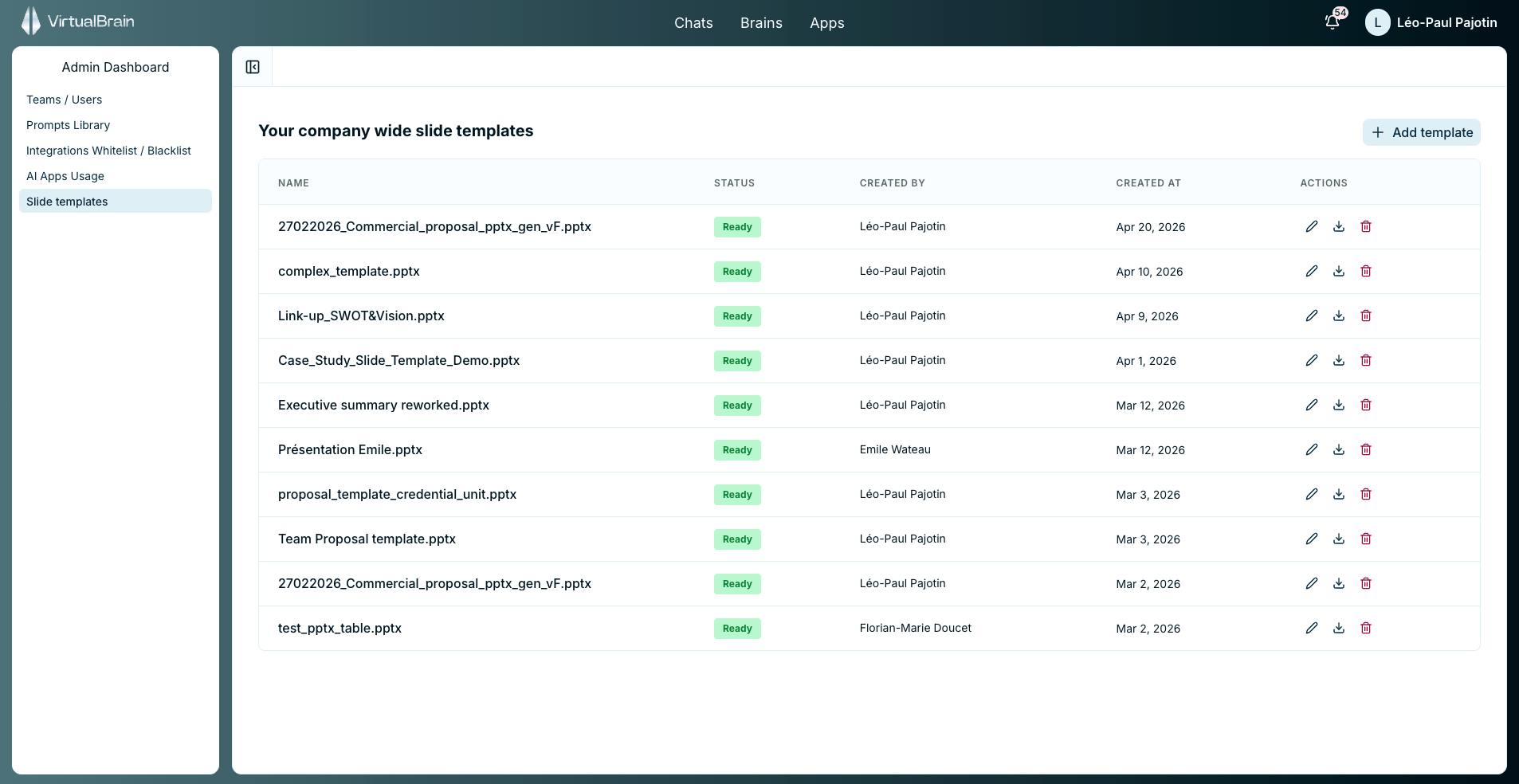
Company-wide slide templates with their processing status
Firm-wide vs. personal templates
Templates published here set the house style for the whole firm. They sit alongside the personal slide templates individual users upload from Settings: when someone generates slides both lists are offered, and neither overrides the other.Related
Personal Slide Templates
The personal counterpart users manage from Settings.
Refining and Exporting
Where Generate a slide and Export to PPT fit in the Chat workflow.