

Watch it research
For anything beyond a simple lookup, the Mainframe works like an analyst: it runs several searches, reads what it finds, and shows its working as it goes. Each tool it uses reports back as its own card, so you can see exactly what was consulted before you read a word of the answer.- Document retrieval: The retriever searches your sources, usually as several targeted searches rather than one. Its card lists the angles it tried and the documents it pulled in.
- Web search: It scans the live web and reports how many pages it visited, keeping the sources worth citing. Web search: When you switch Web on, it scans the web and reports how many pages it visited, keeping the sources worth citing. Web search: When you switch Web on, it scans the web and reports how many pages it visited, keeping the sources worth citing.
- Spreadsheet analysis: When your sources include tables, it writes and runs code to compute on them, working out figures such as revenue CAGR or average margins, and shows each file it opened and the calculations it ran.
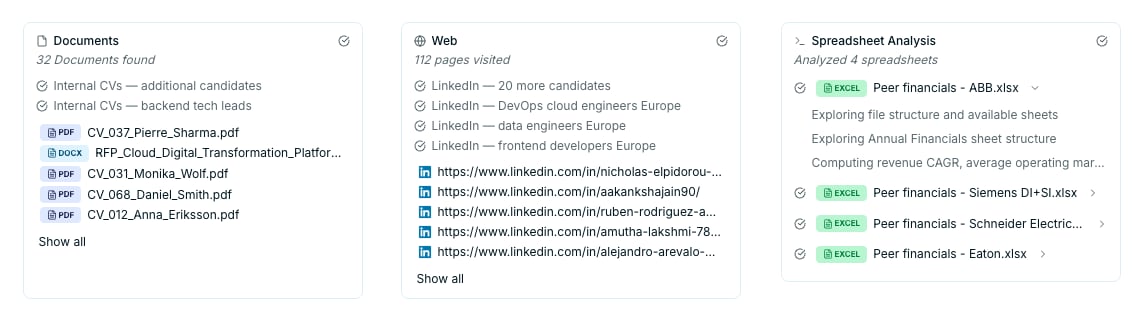
Each research tool reports back as its own card: retrieval angles, web pages visited, and spreadsheet calculations run
Read & verify
Substantial answers open as a structured deliverable in a side panel, with numbered citations throughout. Every claim that matters sits one click from its evidence.1
Hover a citation to preview its source
See the exact passage a claim rests on, without leaving the answer.
2
Click the number to open the source
For a document, it opens to the cited passage with that text highlighted, beside the answer. For a web result, the same number opens the page at its original URL.
3
Verify side by side
Review the answer and its source in one view, with no switching tabs to check a number.
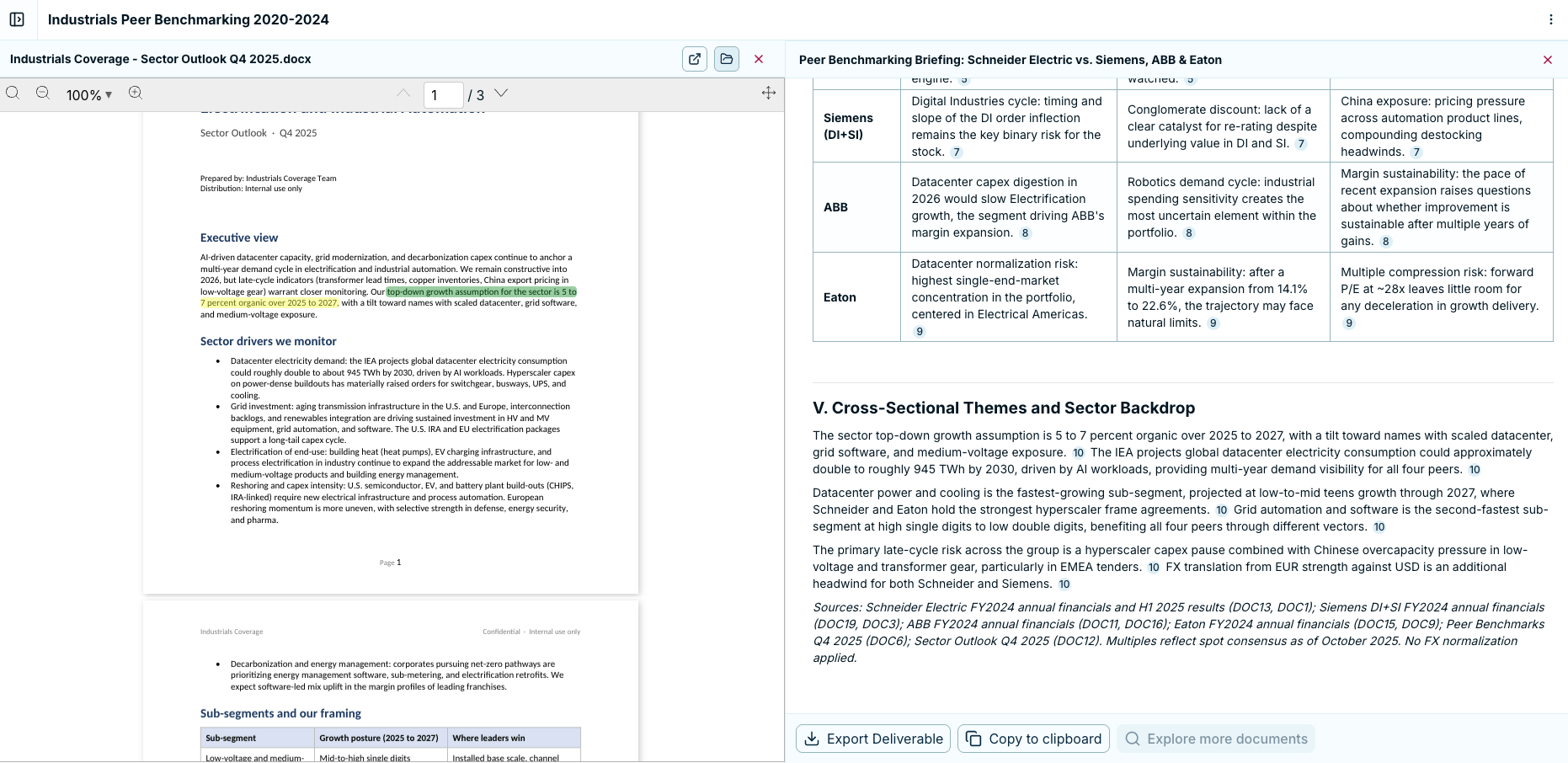
Click a citation and the document opens beside the answer, with the cited passage highlighted
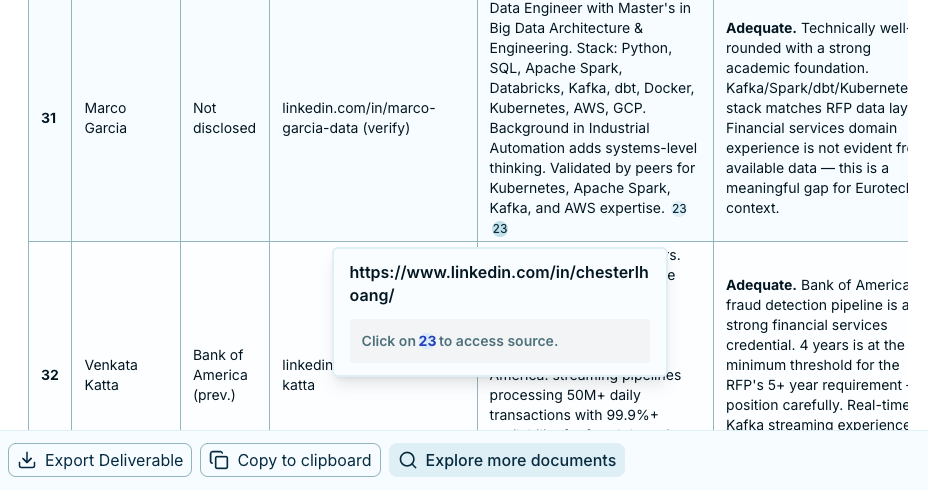
A web citation opens the page at its original URL