

Two layers
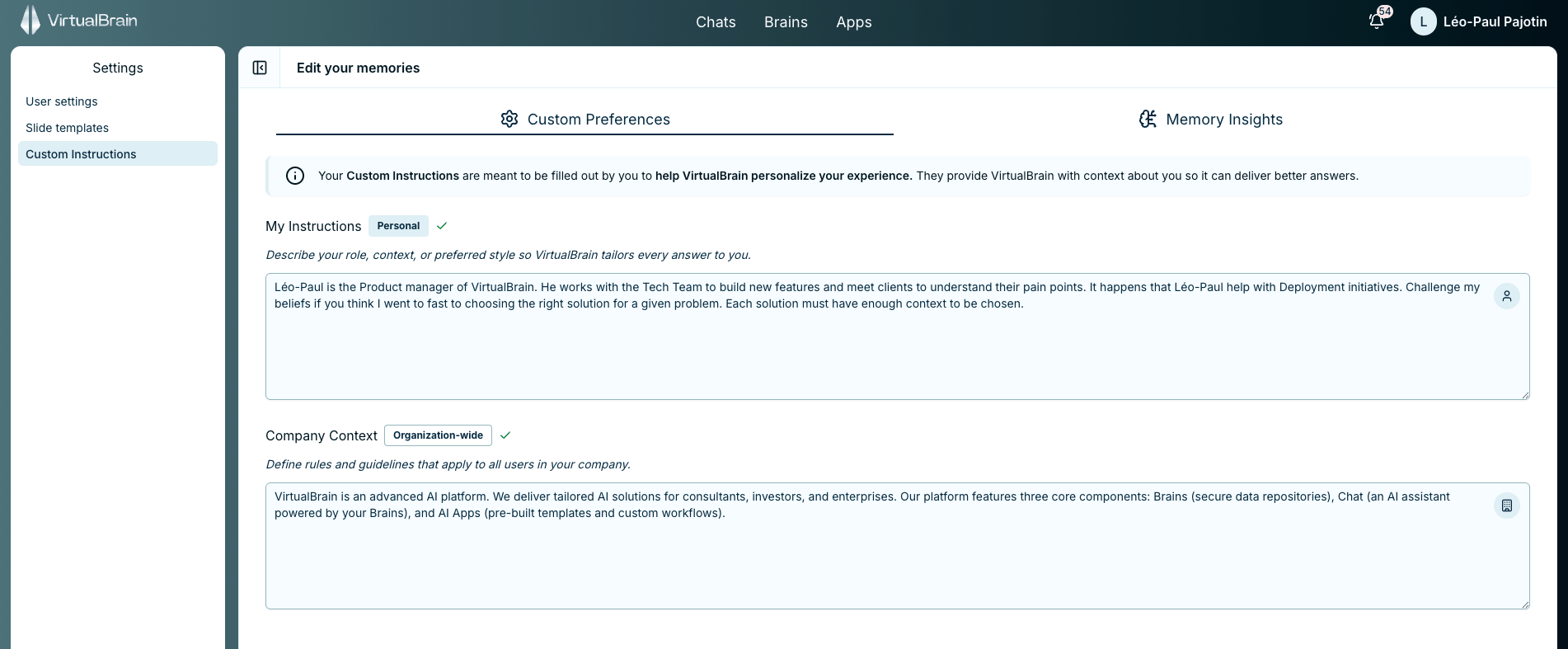
My Instructions (personal) and Company Context (organization-wide)
Where each layer applies
The two layers reach different parts of the platform:
An App produces the same deliverable whoever runs it, which is the point of encoding a methodology once. Personal preferences would make one colleague’s output differ from another’s, so an App run carries Company Context and its own block instructions, and nothing personal.
Building an App? Anything the workflow must always do belongs in the block’s instructions, or in Company Context when it should hold across every App in the firm. My Instructions won’t reach it.
Writing My Instructions
A few lines covering your role, context, and style is enough. They shape every Chat answer, so keep them general rather than engagement-specific. For example:“I’m a manager in a transaction-services team. Default to English. Keep executive summaries under a page.”
Company Context
Use Company Context for the standards every colleague’s output should follow.Company Context is administrator-managed. If the firm-wide baseline needs updating, raise it with your workspace administrator.
Related
Personal Slide Templates
Pair tailored answers with slides generated in your own layout.
Personalization Overview
Your profile, Memory Insights, and the rest of the account menu.