

Anatomy of a block
Every block is defined by three things:/ variables vs. knowledge sources
There are two ways to reference information in a block, and the choice decides whether the App holds up:
- The
/command injects content directly into the prompt, exactly as written: a user input or an earlier block’s output. Use it for short, targeted content (up to roughly 1,000 words): a company name, a project brief, evaluation criteria, or instructions generated by a previous block. - A knowledge source is retrieved from, not injected. Attach long documents, research reports, datasets, or lengthy block outputs as knowledge sources, and the block searches them for only what it needs. Most content belongs here.
Block statuses
During a run, every block carries a live status, so you always know where the App is.
When a block pauses for review, read the output, edit it if needed, then click Continue to release the blocks downstream. See Reviewing & Exporting for the full review flow.
Blocks run in dependency order
Blocks run in dependency order rather than strictly top to bottom: each one starts as soon as the blocks it builds on are ready. Open a block that hasn’t started yet and VirtualBrain shows the upstream blocks it is waiting on, each clickable, so you can jump straight to one and follow the chain.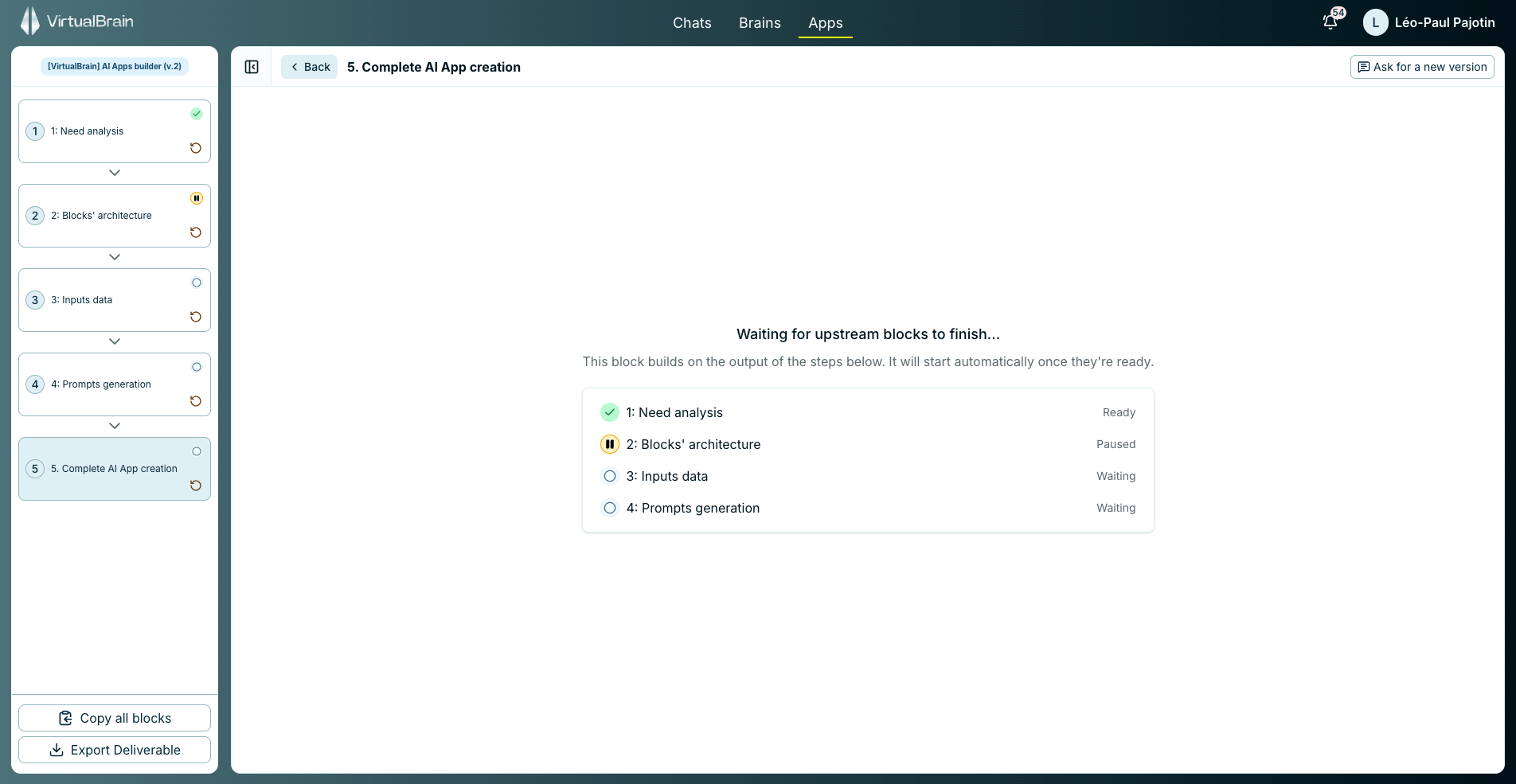
Every block carries a live status; an unstarted block lists the upstream blocks it is waiting on.
Why this matters
Because each block can draw on a different source, a single App can move from the user’s input, to your internal knowledge, to a web search, each block building on the ones before it. All of this is preset by the App’s author, so at run time only the user’s input changes: the method, sources, and structure stay constant on every run.Related
Building Apps
Configure knowledge sources, instructions, and review steps per block.
Reviewing & Exporting
What to do when a block pauses, and how the deliverable leaves VirtualBrain.
Academy: Building AI Apps
The full course on designing, prompting, and shipping reliable Apps.