

Refine & follow up
- Edit a section: Select a specific passage and tell VirtualBrain what to change. Reformat it (Edit / Format), pull more detail from your documents (Research more), or search the web to cross-check a figure (Enrich with web).
- Follow-up questions: With the deliverable’s side panel open, ask a follow-up on it directly and VirtualBrain iterates from it, so you can drill down without starting over. See what carries across turns.
- Rate & copy: Give a thumbs up or down on any answer to improve future results, or copy it with one click.
- History: Every chat is saved automatically. Reopen a previous conversation from the sidebar (grouped by week and month) exactly where you left off, which is useful when an engagement runs over weeks.
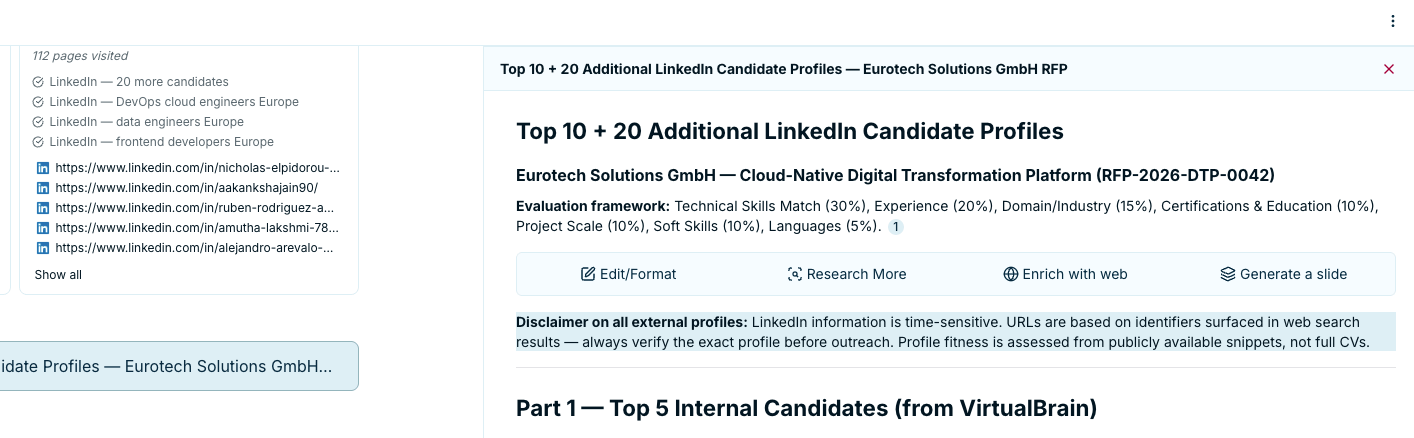
Select a passage and reformat it, research more, or enrich it with the web, right inside the deliverable
Select a passage and reformat it, research more, or enrich it with the web, right inside the deliverable
Export & save
When the deliverable is ready, turn it into the output your engagement needs. From the deliverable you can:- Export Deliverable to Word, PDF, Excel, or PowerPoint.
- Generate a slide from a section, built on a template you pick. See Personal Slide Templates for your own decks and Slide Templates for firm-wide ones.
- Add to my brain to save it back as a deliverable, alongside the source evidence.
- Copy to clipboard.
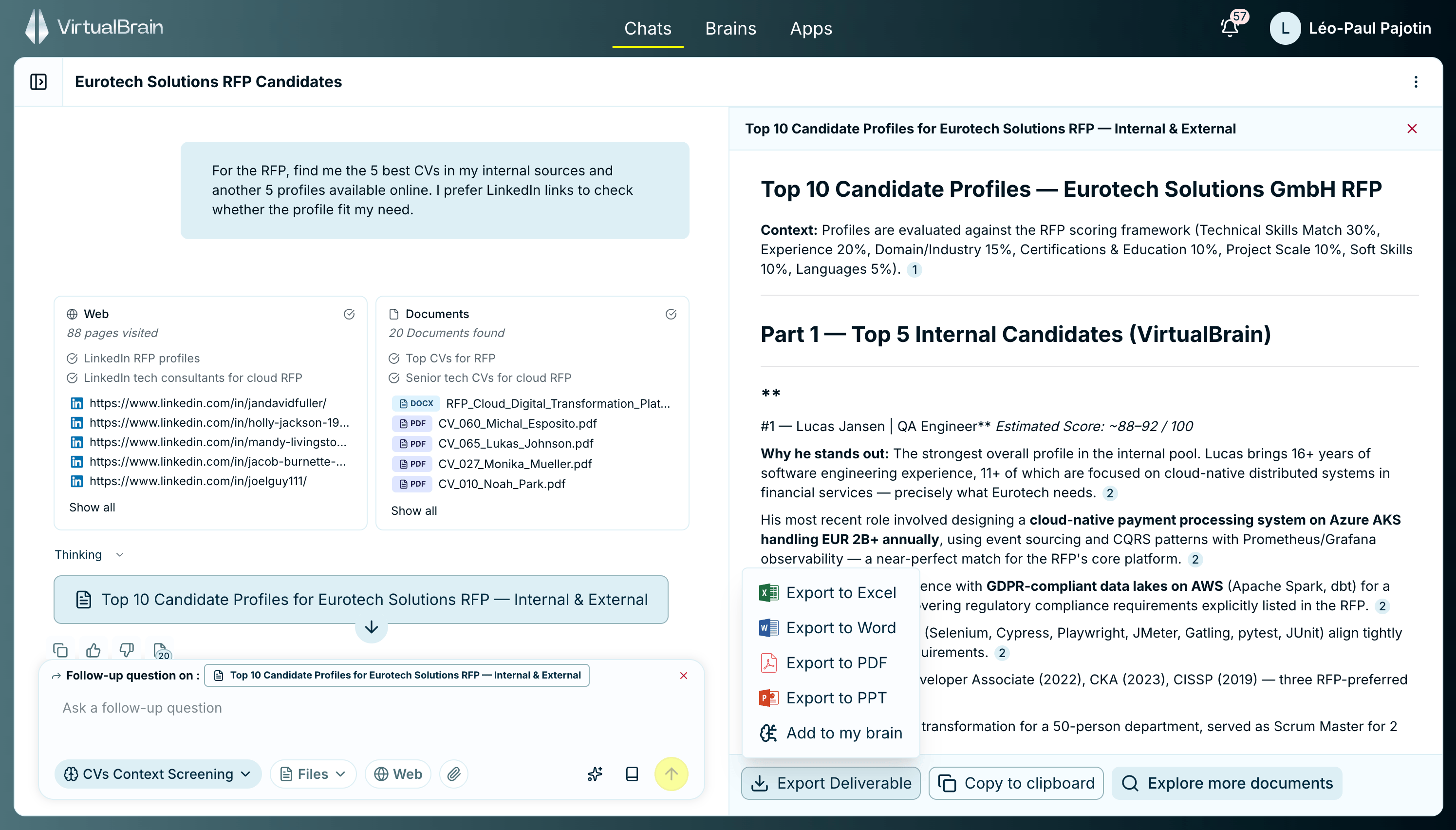
Export the finished deliverable to Word, PDF, Excel, or PowerPoint
Related features
Sourced Answers
How citations work and how to verify a claim side by side with its source.
Asking Questions
Ground the next question in the right Brains and files.