

Browse the App library
Open Apps to reach the library. Filter by All Apps, My Apps, Shared with me, or Templates, or search by name. Each card shows what the App does, whether it’s shared with you or company-wide, plus the average time it saves and how long it takes to run.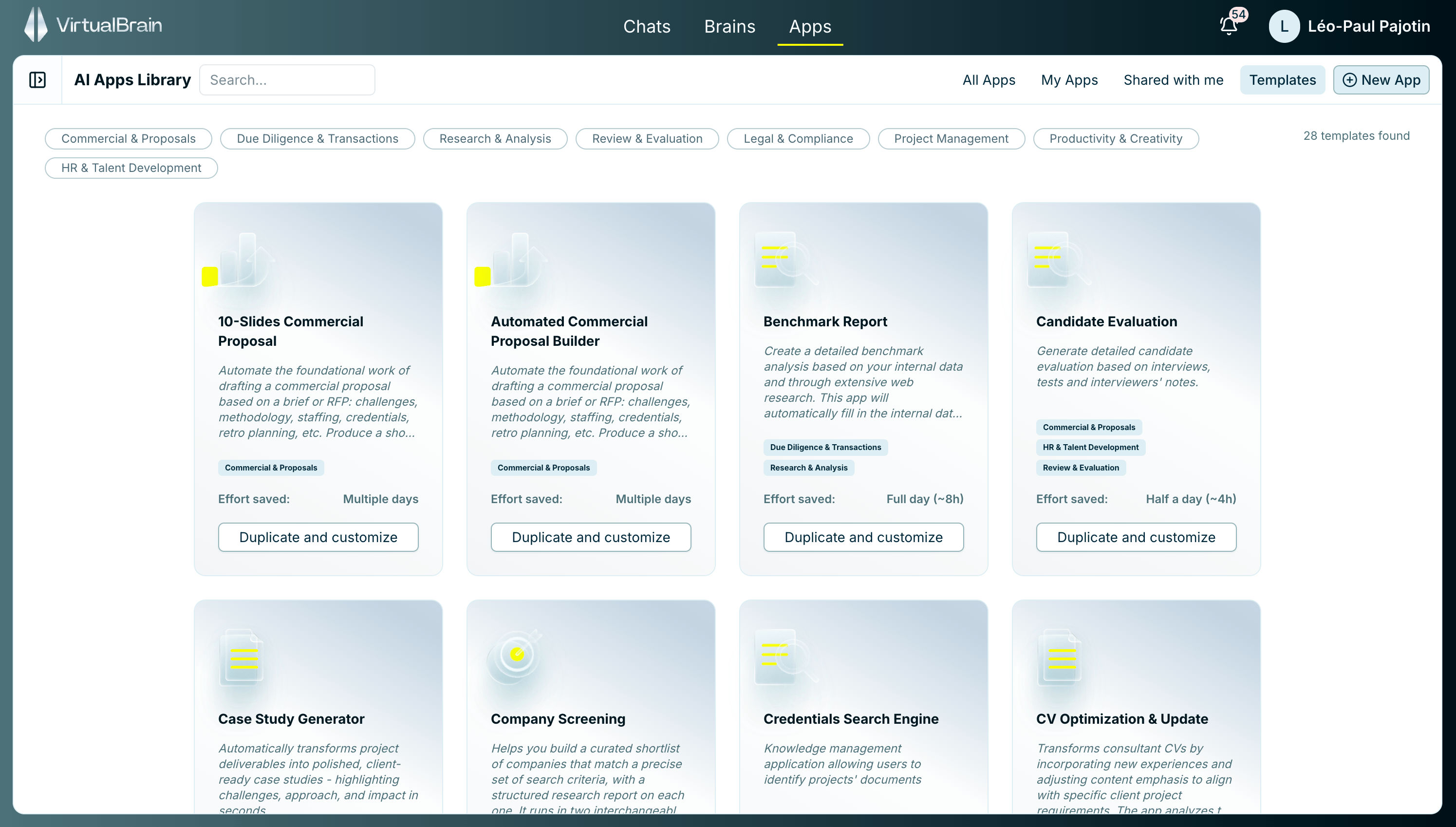
Browse the App Library: filter by category or search by name.
Run a pre-built App
1
Answer the input steps
The App opens a guided session with a numbered stepper. Depending on how it was built, a step might ask you to type a short brief, choose from a list of options (an output language, say), pick the Brain(s) to work from, or upload a document. Fill each step and click Continue.
2
Let it run its blocks
The App executes its workflow block by block. Watch progress and see the output of each stage as it completes. App Blocks explains the statuses and run order.
3
Review the result
The finished deliverable carries the same sourcing and one-click citations you get in Chat, so every claim stays traceable to its source.
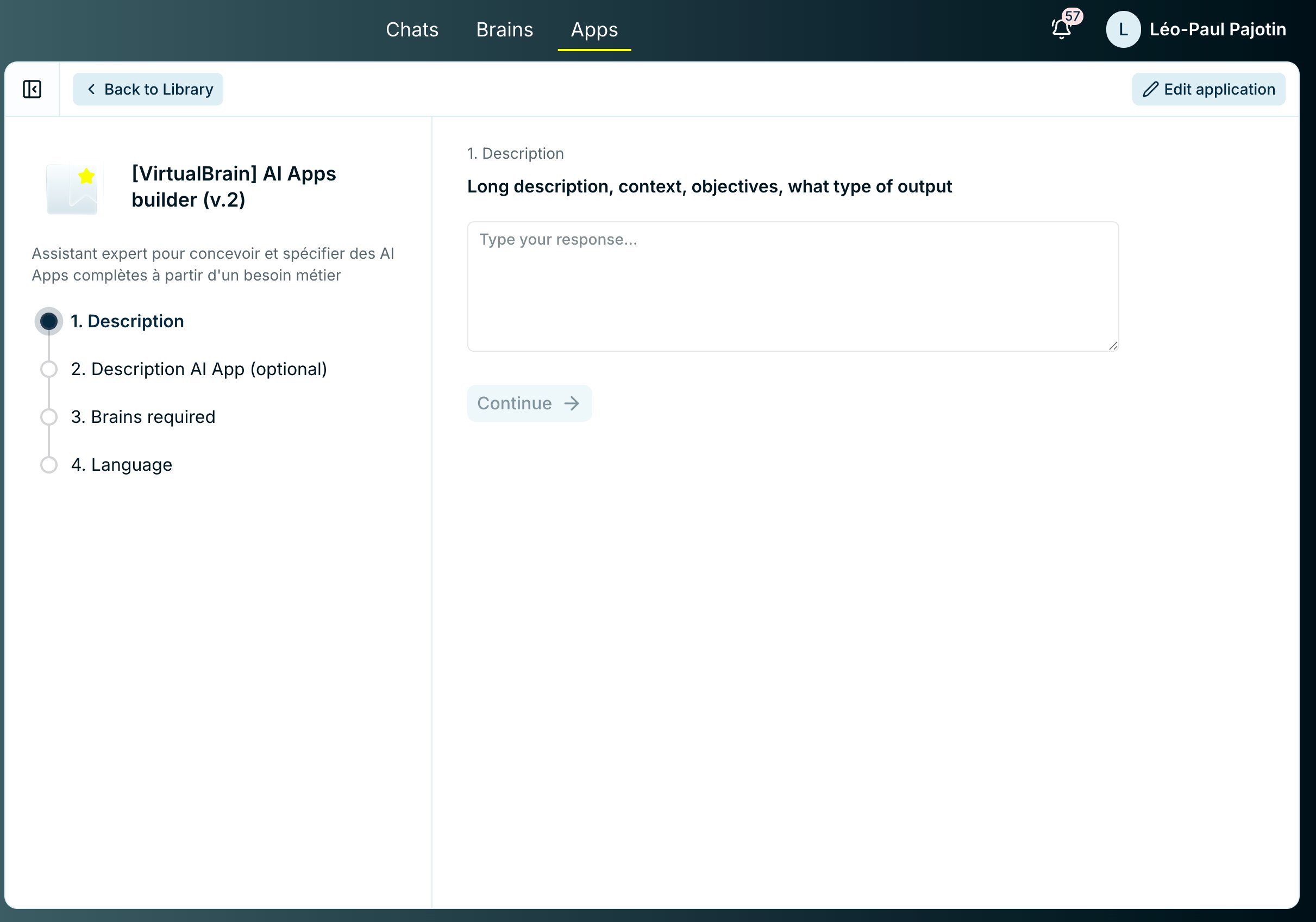
An App session: answer each input step, then watch the blocks run.
Related
Reviewing & Exporting
Approve review steps, refine a block, and export the deliverable.
App Blocks
Statuses, dependency order, and what each block draws on.
Building Apps
Adapt a template, or build your own App from scratch.