

How it works
When you generate slides from a deliverable, with Generate a slide or Export to PPT in Chat and Apps, you choose which deck to build on. Your personal templates and the firm’s company-wide templates appear as two separate lists.1
Open Settings
Click your name in the top-right and open Settings. They live under Slide templates, alongside your profile and Memory Insights.
2
Add your deck
Upload the PowerPoint (
.pptx) you want VirtualBrain to build on. It’s processed once, then ready to generate from.3
Generate
Use Generate a slide or Export to PPT in Chat and Apps, then pick your deck from the personal templates list.
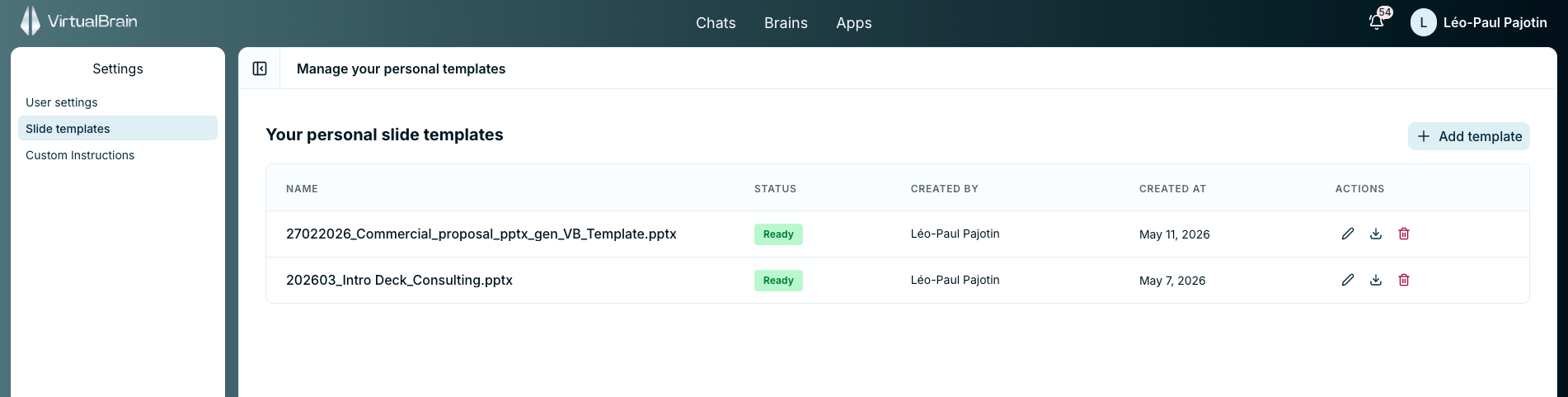
Personal slide templates in Settings, processed and ready to generate from
Personal vs. firm-wide
This is the personal counterpart to the firm-wide slide templates an administrator can publish. Both lists are offered when you generate slides and neither overrides the other: pick the company deck or one of your own, run by run.Related
Refining and Exporting
Turn a sourced answer into a finished deliverable, including slides.
Firm-wide Slide Templates
How administrators publish branded templates for everyone.