

When the App pauses for your review
An App’s author can mark any block as a review step. When the run reaches it, the App stops and shows a Paused for your review note: what to check, and which later blocks your review will shape. Read the output, edit it if needed, then click Continue to release the blocks downstream.A review step is the safeguard that catches a small error early, before it cascades through the rest of the deliverable.
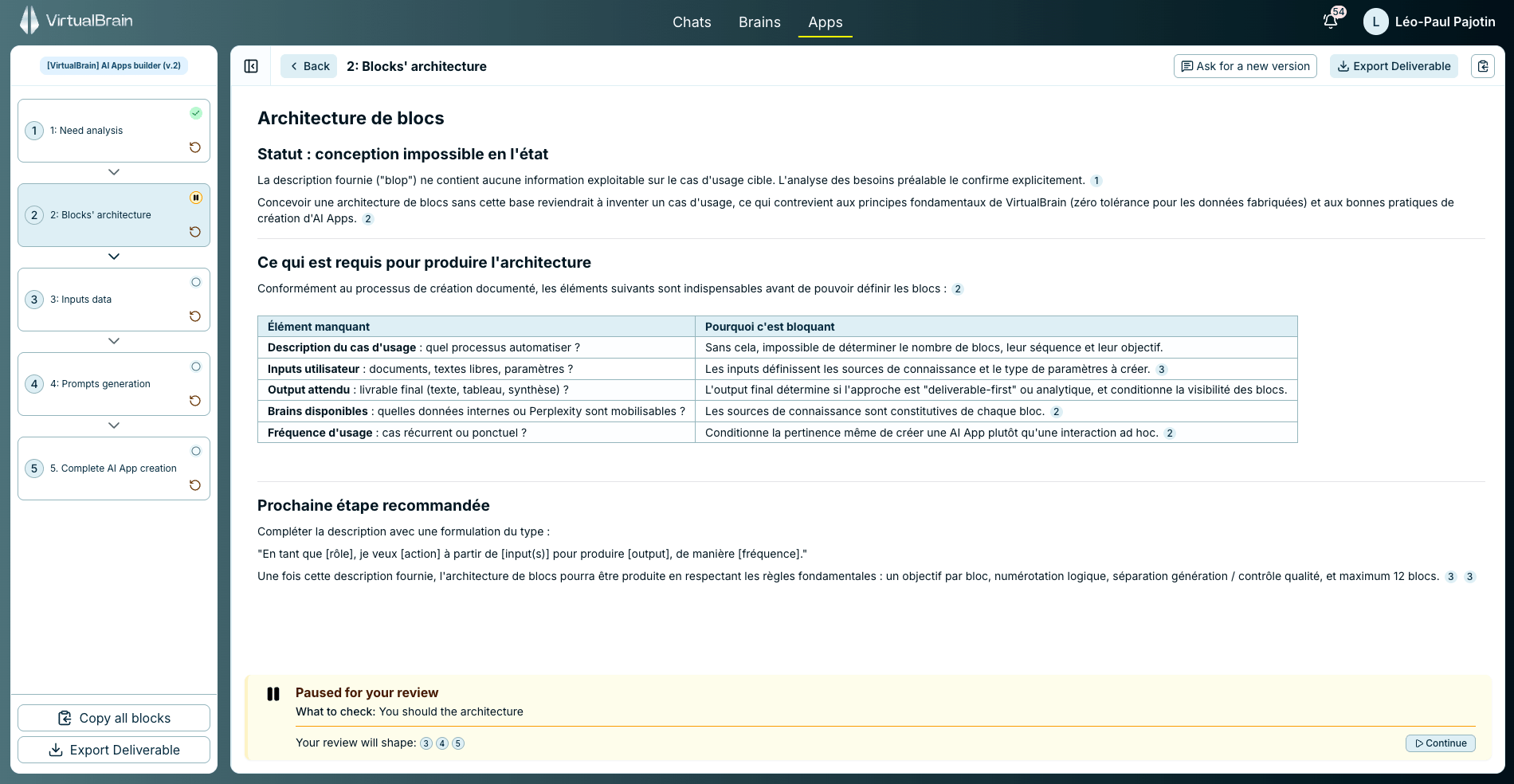
A review step holds the run at a block until you check the output and click Continue.
Refine any block
You’re never stuck with the first draft, and there are two ways to iterate:- Select any passage in a block to act on just that part: Edit / Format, Research more, Enrich with web, or Generate a slide.
- Use Ask for a new version to regenerate the whole block from a fresh instruction.
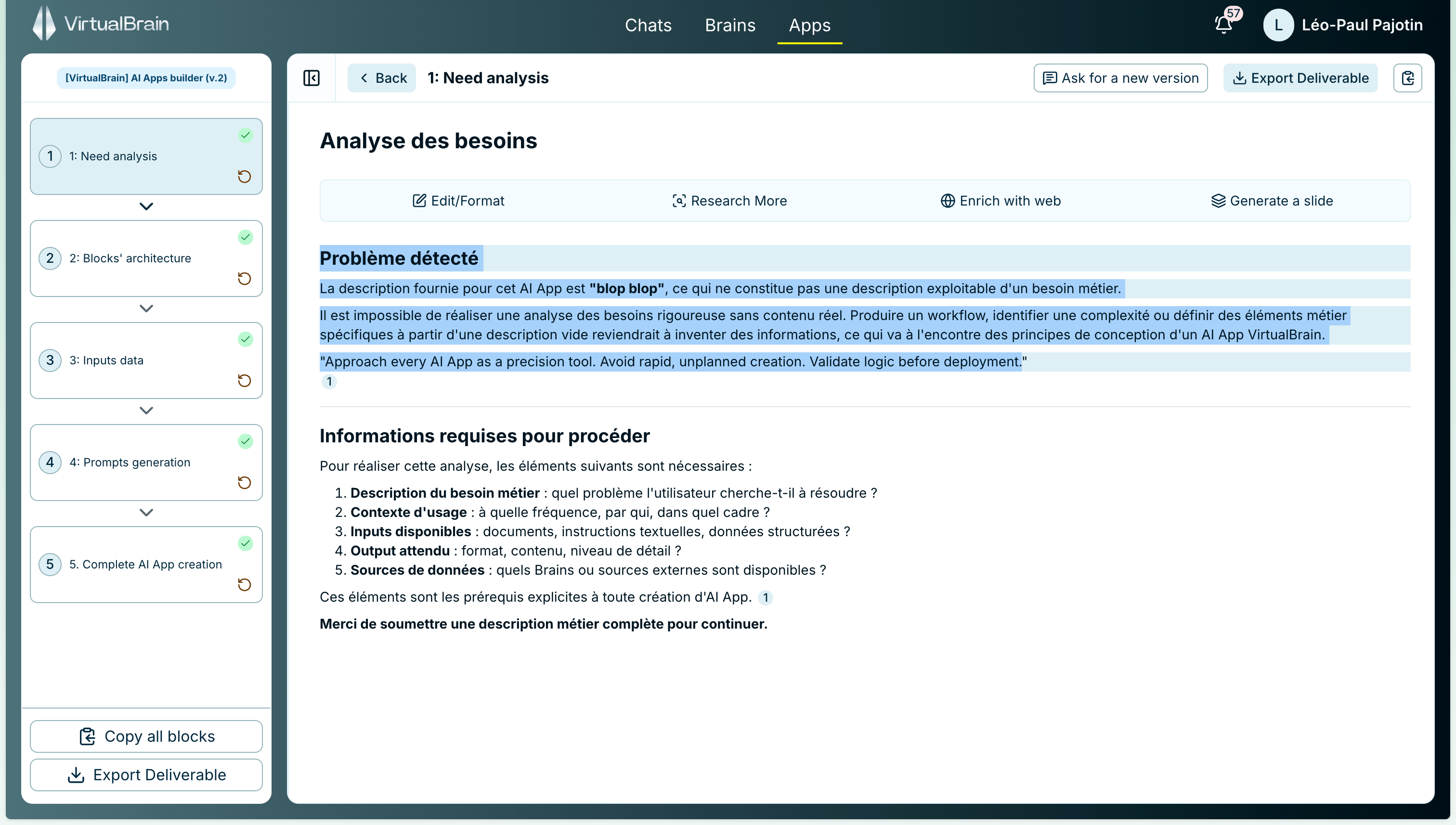
Select a passage to edit, research more, enrich with the web, or generate a slide.
Export the deliverable
When the draft is ready, Export Deliverable turns the whole output, every block at once, into a single Word, PDF, Excel, or PowerPoint file in one click. You can also copy all blocks to the clipboard together.Related
App Blocks
Statuses, dependency order, and what each block draws on.
Using Templates
Browse the library and run a pre-built App.
Refining & Exporting in Chat
The same actions, applied to a Chat deliverable.